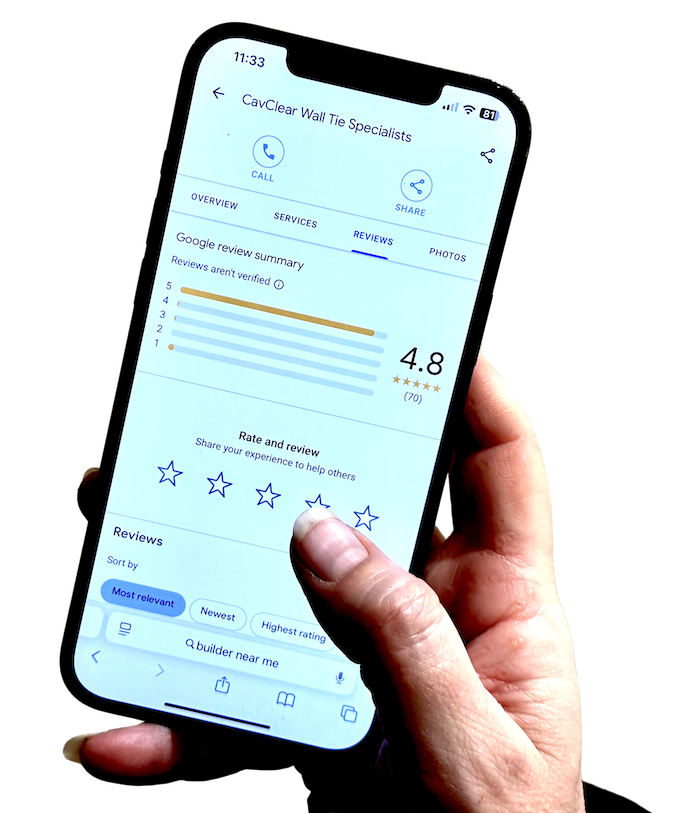
If you have searched for “link to my Google reviews”, you are probably trying to solve a very practical problem. You want to make it easy for customers to leave a review. Making it simple for customers to leave Google reviews can help increase review volume and strengthen trust in your business.
Not by asking them to search for your business, scroll through Google Maps, and work out where to click. Just by sending them a direct link that takes them where they need to go.
That is a sensible thing to want.
Google does give businesses a direct review link and QR code through Business Profile. On desktop, you can go to your Business Profile, select Read reviews, then Get more reviews, and copy the review link or share the QR code. Google also says you can share that link directly or send it through channels like email, WhatsApp, or Facebook.
But the link is only part of the answer. Consumers rely on reviews from other customers to make informed decisions, so sharing your review link helps build social proof and trust in your business.
A direct review link removes friction, which helps. What it does not do on its own is create consistency. Many local businesses find the link, use it once or twice, then fall back into the same old pattern: asking irregularly, forgetting to follow up, and relying on memory rather than a process.
That is why this article is not just about where the link lives. It is about how to use it properly.
What a Google review link actually is
A Google review link is a direct link tied to your Business Profile that opens the review form for your business.
In practical terms, it saves the customer from having to search for your business name and then work out where to leave a review. Instead, they click the link and land much closer to the action you want them to take, where they can immediately write and submit their review.
That matters because convenience plays a bigger role than many businesses realise. Customers are often willing to leave a review in principle, but the more steps involved, the less likely they are to complete it.
This is also why the review link and the review form are more useful than simply telling someone, “Leave us a review on Google when you get a minute.” The direct link streamlines the review request process and encourages more customers to leave reviews.
📖 Definition
A Google review link is a direct shortcut to your review form. It removes the need for customers to search for your business profile and work out where to click.
Why a direct review link makes leaving feedback easier
Most customers will not object to leaving a review because they dislike the business. They usually drop off because the process feels slightly inconvenient.
That is the key point.
A direct review link reduces unnecessary effort. It removes the need to search, click around, and guess where the review form lives. For a busy customer on a mobile phone, that difference matters. It turns “I’ll do it later” into “I can do this now”. When you make it easy, reviews from other customers can quickly demonstrate that your business is one of the great places to visit or use, providing useful social proof for new visitors.
That does not mean every customer who receives the link will leave a review. It does mean you are making the action easier, which is one of the few parts of the process you can control.
For local businesses, this is especially useful because review asking often happens in real-life contexts. A customer has just visited, collected an order, had a job completed, or spoken to a member of staff. In that moment, the easier you make the next step, the better the chance of a response.
Simple usually works better than clever here. A direct link is helpful because it removes friction, not because it is a sophisticated tactic.
💡 Key Insight
A direct review link does not create reviews on its own. What it does is remove friction, which gives willing customers a much better chance of actually following through.
How to find the link to your Google reviews
The easiest official route is through Google Business Profile.
You can find your Google Business Profile link via Google Search or Google Maps while logged into the account that manages your profile.
Google says you should go to your Business Profile, select Read reviews, then Get more reviews. From there, you can either copy the review link or use the available sharing options. On desktop, you can also generate and download a reviews QR code from the same area.
That is the current straightforward method.
🗒 Step-by-step
Open your Google Business Profile.
Go to Read reviews.
Select Get more reviews.
Copy the review link.
Save it somewhere easy to access.
Within Google Business Profile Manager, you can also use the “Get More Reviews: Share review form” section. Click the “Share review form” button to generate a link that you can easily copy and share across different platforms.
Another method is to use the Place ID Finder tool. Enter your business name to find your Place ID, then generate a Google reviews link using that ID.
You can also generate a Google reviews link by conducting a Google search for your business, clicking on the “Write a review” button, and copying the URL from the address bar.
That last step matters more than people think. Once you have the link, keep it somewhere obvious. Put it in your notes, your CRM, your message templates, or wherever your team will actually find it again.
The problem for many businesses is not finding the link once. It is making sure nobody has to hunt for it every time they want to use it.
💭 Tip
Store the review link in the same places your team already works. If it lives in a random note or buried browser tab, it is much less likely to be used consistently.
Generating a QR code for your Google review link
Creating a QR code for your Google review link is one of the easiest ways to make the process even simpler for customers. A QR code gives them a direct route to your Google review form without needing to type in a URL or search for your profile.
This can work especially well for service-based businesses and shops where customers are on the go or already using their phones.
To generate a QR code, start by copying your Google reviews link from your Google Business Profile. Then use a QR code generator, paste in the link, customise the design if needed, and download the finished code.
Once you have it, you can place the QR code in practical locations such as your reception desk, counter, printed cards, receipts, packaging, or other points where a customer naturally pauses after the service.
By simplifying the process with a QR code, you remove barriers and make it more likely that customers will leave a review.
🔧 Example
A QR code can work well at a front desk, collection point, or reception area where a customer naturally pauses after the service. It tends to work best when it feels like a normal part of the customer journey, not an awkward extra ask.
Where to share your Google review link with customers
A review link is most useful when it fits naturally into the way you already communicate. That usually means sharing it in places where a customer is already used to hearing from you.
For many local businesses, the most practical places are:
follow-up SMS after a completed job or visit
short follow-up email
WhatsApp message where appropriate
thank-you message after a service
printed QR code at the desk, counter, or reception area
invoice or completion email, if the timing feels right
You can also include your Google review link in follow-up emails, thank-you messages, on your social media pages, or in your website footer.
Google itself specifically notes that the review link can be sent through email, WhatsApp, or Facebook.
The point is not to put the link everywhere for the sake of it. The point is to use it in the channels where customers are most likely to act.
That is why context matters. A café, salon, clinic, garage, trades business, accountant, or estate agent may all use the link slightly differently. The best channel is usually the one that already feels normal in your customer relationship.
If you have to force the review link into a communication that feels unnatural, it will usually perform worse.
What to say when sending a review link
The wording matters, but not in the way many owners think.
You do not need a polished campaign line. You need a short, normal message that makes your review request feel clear and easy.
For example:
“Thanks again for choosing us. If you have a minute, we’d really appreciate a Google review: [link]”
“Thanks for coming in today. If you’d like to leave us a quick Google review, here’s the link: [link]”
“Thanks again for having us out today. If you have a moment to leave a Google review, here’s the direct link: [link]”
That is enough.
Asking for a review in person can feel intimidating, but it is often one of the most effective approaches, especially when the customer has already expressed satisfaction. The link is doing part of the work. Your message does not need to over-explain it.
If you want more examples of short, natural wording, see Google Review Template: Simple Messages for Local Businesses.
📌 Important
Keep the wording simple and compliant. The aim is to make leaving a review easier, not to pressure customers or suggest that public reviews are only for certain types of people.
Common mistakes businesses make when sharing review links
The first common mistake is making the process more complicated than it needs to be. A direct review link is meant to reduce friction. If you bury it inside a long message, wrap it in too much explanation, or send it through a channel your customer rarely uses, you add that friction back in.
The second mistake is treating the link as the whole system. Businesses often think that once they have the link, the review problem is solved. Usually, it is not. They still need a consistent habit around when it gets used.
The third mistake is poor timing. Sending a review link weeks later often gets a weaker response than sending it while the experience is still fresh.
The fourth mistake is inconsistency across staff. If one person sends the link and another forgets, the process becomes patchy again. A review link works best when it is part of a standard follow-up habit rather than something left to individual mood or memory.
The fifth mistake is sounding awkward. The link is already doing the practical work. You do not need to surround it with too much language. Simpler usually performs better.
Another critical mistake is offering incentives or buying reviews. Always focus on collecting genuine feedback without offering rewards or compensation.
❌ Common Mistake
Many businesses assume they have solved the problem once they have found the link. In reality, the bigger issue is usually whether the link gets used consistently enough to matter.
Why a review link alone does not guarantee more reviews
This is the bigger point behind the whole article.
A direct review link makes it easier for a customer to leave a review. It does not make the business consistent.
The problem is not usually that they lack a link. It is that the asking happens irregularly. One week they remember. The next week they get busy. Someone intends to send the link later and never does. A few customers are asked, then the habit slips.
That is why the review link helps, but it is not the full answer.
A useful way to think about it is this: the review link removes customer friction, but the business still needs to remove operational friction on its own side. If nobody is sending the link regularly, it will not create steady review growth no matter how easy the customer journey becomes.
If you want the service-side view of what a more consistent managed process looks like, see how it works.
How timing affects whether customers actually use the link
Timing usually matters more than tiny changes in wording.
For most businesses, the strongest moment is shortly after the service, visit, job, or purchase, while the experience is still fresh. Using SMS to request reviews immediately after a service or purchase can work well because it allows customers to share their feedback while the experience is still clear in their mind.
That is when the customer remembers the interaction clearly, and the request feels connected to something real rather than random.
If the link arrives too late, the customer has to reconstruct the whole experience in their head before deciding whether to act. That extra effort reduces the chance of a review.
This does not mean every business needs exactly the same delay. It means there should be a clear and repeatable point when the request usually goes out.
💭 Tip
If you are unsure about timing, start with the point where the customer naturally confirms the service is complete. That is often the cleanest and least awkward moment to send the link.
A simple system for using your Google review link consistently
A working system does not need to be complicated. For most local businesses, it can be as simple as this:
Choose one trigger point. Decide when the review link should normally be sent. That might be after a completed visit, after collection, after delivery, or after the job is finished.
Choose one main channel. Use the channel customers already respond to most naturally, whether that is SMS, email, or WhatsApp.
Use one short message. Keep it simple enough that anyone in the business can use it consistently.
Store the link somewhere obvious. Nobody should have to search for it each time.
Review the pattern occasionally. If requests are not going out steadily, the issue is probably the process rather than the wording.
That is already enough to move from “we have a link somewhere” to “we actually use it”. For many businesses, that shift is more important than finding a smarter sentence.
🧭 Simple Framework
The link works best when it sits inside a repeatable habit:
send it at a consistent point
use a channel customers already expect
keep the wording short
make the link easy for staff to find
check whether the process is actually happening
A practical next step for businesses that want this handled properly
If you have found your Google review link and started using it, you have already solved one useful part of the problem. You have made it easier for customers to leave a review.
The next question is whether your business can use that link consistently enough for it to matter.
That is where many owners get stuck. The link exists, but the process around it still depends on memory, spare time, or good intentions.
A better outcome usually comes from a calmer system: clear timing, simple wording, and a repeatable way of asking that does not disappear the moment the business gets busy.
If you want to understand what that kind of managed review-growth process looks like in practice, the next useful step is to see how it works rather than trying to piece it together manually.
Want to see what a managed review-growth process looks like in practice?
Trusted Reviews 4U helps local businesses make review asking more consistent with clear timing, simple follow-up, and a managed process that does not depend on memory or spare time. See how it works →