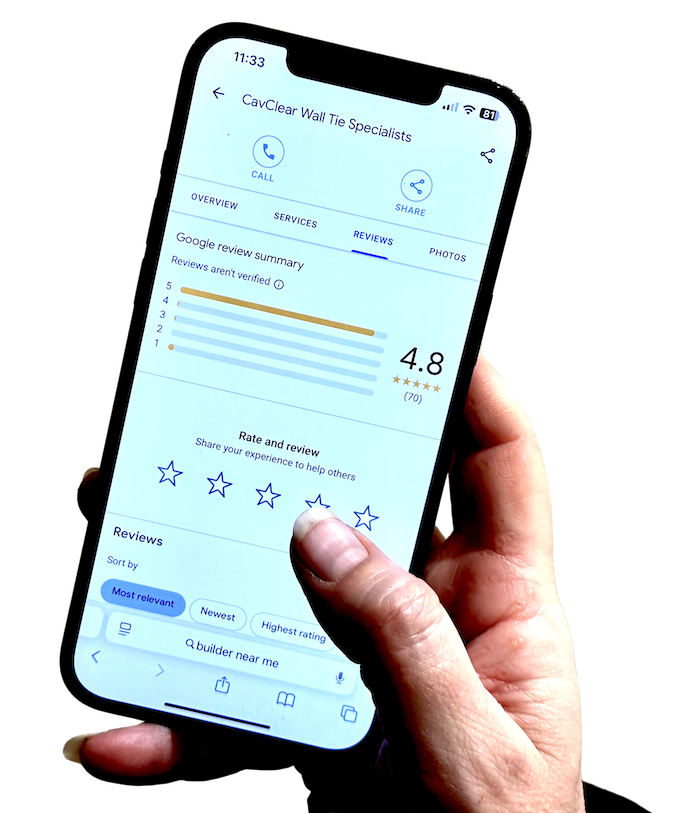
If you have searched for “confirm my business on Google”, you are probably trying to do something quite practical. You want your business to appear properly on Google Search and Google Maps, you want customers to trust what they see, and you want to get through the business profile verification process without it turning into a long, frustrating admin job.
That is a sensible place to start.
This guide explains what confirmation means in practical terms, why it matters, what usually causes delays, what to do if the listing is already claimed, and what to focus on once your business is verified. Only once your business is verified do you gain full access and control over your Google Business Profile.
📖 Definition
Confirming your business on Google means verifying your Business Profile so Google can trust that you manage or represent the business.
Introduction to Google Business Profiles
A Google Business Profile is one of the most effective ways for small businesses to manage their online presence and connect with more customers. When you set up a Google Business Profile, you make it easier for potential customers to find your business on Google Search and Google Maps. Your profile displays essential details like your business name, address, business hours, and the services you offer, all in one place.
Verifying your Google Business Profile is a crucial step in this process. Verification confirms that your business is legitimate and that you are authorised to manage the information shown to customers. The verification process often includes video verification, where you provide a video recording that shows your physical location, business signage, and other features that prove your business exists at the stated address. This helps Google ensure that your business is real and trustworthy, which in turn builds confidence with customers searching for your services or products.
By completing the verification process, you gain full control over your business profile, allowing you to update information, respond to reviews, and attract more customers through accurate and up-to-date details. In today’s digital world, having a verified Google Business Profile is essential for standing out in local search results and making a strong first impression.
Creating a Business Profile
Getting started with a Google Business Profile begins with creating your profile and entering your business information. First, you’ll need a Google Account that you control and plan to use long-term. Once signed in, you can start the process by providing your business name, business location or service area, and selecting the category that best describes your business.
After entering these basics, you’ll be prompted to verify your business location. Google offers several verification methods, including video verification, phone verification, and email verification. The method you receive will depend on your business type and other factors. For video verification, you’ll need to record a video showing your business signage, physical location, and any other details that confirm your business operates at the listed address. If phone or email verification is available, you’ll receive a verification code to the business phone number or email address you provided.
Once your business profile is created and verified, you can add more details such as business hours, services, photos, and a description to help your business stand out.
📌 Important
Appearing on Google is not the same as being fully verified. Verification is the point where your listing becomes something you can manage properly.
What it means to confirm your business on Google
Confirming your business on Google means verifying your Business Profile so Google can trust that you manage or represent the business. If your profile is not yet on Google, you may need to add it first. If it already exists but is unverified, you can claim it and then follow the available verification steps.
In plain terms, Google is checking three things.
First, that the business is eligible for a Business Profile. Eligible businesses generally make in-person contact with customers during their stated hours, while online-only businesses are not eligible for a Business Profile.
Second, that the business details are accurate. Your business should be represented as it is consistently recognised in the real world, with an accurate address or service area and the fewest categories needed to describe the core business.
Third, that you are authorised to manage the listing. Only owners or authorised representatives are supposed to verify and manage Business Profile information.
That is why appearing on Google is not quite the same thing as being fully verified. Google Business Profile verification is the process that establishes your business as a trusted and visible entity on Google Search and Maps. A listing might exist, but until it is properly claimed and verified, you may not have full control over it.
Why Google business verification matters for small businesses
Verification matters because it is the point where your business profile becomes something you can manage properly rather than just something that happens to exist online.
Once your profile is verified, you can manage business information, keep core details up to date, and add authorised people to help manage the profile if needed.
For a normal small business, that matters for a few straightforward reasons.
It reduces confusion. Customers are less likely to run into old addresses, the wrong opening hours, or an unmanaged listing that does not reflect how the business actually operates.
It supports trust. A properly managed profile looks more dependable than a neglected one, especially when a customer is deciding whether to call, visit, or compare you with nearby alternatives.
It creates the right foundation for later work. If you want to improve your local visibility, keep business details accurate, and eventually build a steadier review pattern, verification is the starting point. There is very little point in thinking about reputation growth first if your Business Profile is not properly claimed and verified.
The common ways Google asks businesses to verify
Google determines the verification methods automatically, and the options available depend on your business type, region, public information and other profile factors; some businesses may be asked to use more than one method depending on their circumstances. Google Business Profile verification methods include video, phone, email, and postcard options, and verification options may vary based on your business type, public information, region, or business hours. Other methods, such as instant verification, may be available in rare cases.
Google may offer multiple verification options, including video recording, phone or text, email, live video call, and in some cases mail. The phone option is typically available for business profiles that have been around for a while but are unclaimed. Email verification is typically available for active but unclaimed business profiles. Postcard verification is a common method, but it is slower compared to other options. Live video calls are also not available for every business.
The video option is often the fastest way to get verified for a Google Business Profile. Instant verification is possible but uncommon and depends on how much information Google has about the business. The verification method required for a Google Business Profile may vary based on profile age and recent changes to business information.
Video recording
Video recording is now one of the more common routes. The verification video must meet specific video requirements: it should be an unedited, unique, and complete recording, at least 30 seconds long, recorded and uploaded from a mobile device through your Business Profile. You cannot record it offline and upload it later.
For shopfront or hybrid businesses, the verification video should show your location, proof the business exists, and proof that you manage it. This can include outside signs, nearby identifiers, permanent signage with the business name, and employee-only access such as a till, stock room, or point-of-sale system. If your video verification has been denied, you can try uploading a new video or seek help from an SEO professional. If it fails, Google typically emails the instructions provided on what to improve before you resubmit.
For service-area businesses, the verification video should show where the business operates, evidence that the business exists, and proof of management. This can include tools, branded equipment, business cards, a branded vehicle, or documents such as a permit, invoice, or utility bill that matches the profile name.
Once verification is submitted, review usually takes up to 5 to 7 business days, but if your code does not arrive or your attempts keep failing, it helps to understand how long Google verification typically takes and what to do if codes don’t arrive.
Phone or text
If Google offers phone or SMS verification, you must be able to answer the business phone or receive the text. This can catch businesses out if the listed number is old, forwarded incorrectly, or tied to a phone system that cannot receive verification codes properly.
If email verification is offered, you need access to the exact email address shown in the verification screen. That sounds obvious, but it can catch businesses out if the listing is tied to an older address or one controlled by someone else.
Live video call
If live video call is available, it must be done during the opening hours of the location, and you need to be physically at the business with a device that supports live video. You should be ready to show your current location and evidence that you own or manage the business.
If mail verification is offered, most codes arrive within 14 days, the code expires after 30 days, and you should not change your business name, address or category while waiting because that can invalidate the code.
💡 Tip
Follow the method Google offers rather than trying to force a different one. The options available are determined automatically and can vary by business type and profile history.
What details to check before starting verification
A lot of verification problems start before the verification attempt itself. The profile details do not line up cleanly enough, or the business has been set up in a way that makes Google less confident about what it is seeing.
Before you start, check the basics carefully.
Make sure the business name matches how the business is consistently represented in the real world. Google wants the profile to reflect the business as it is recognised on signage, stationery and other branding.
Make sure the address or service area is accurate. If you serve customers at your premises, the address should be right. To qualify for a Google Business Profile, your business must have a physical address or storefront location that visitors can visit. If you are a service-area business and do not serve customers at the address, that business address should not usually be shown publicly in the profile. Mobile businesses that provide services at customer properties can also qualify for a Google Business Profile.
Check the category. Use the fewest number of categories needed to describe your overall core business. Overcomplicating this can create confusion rather than clarity.
Check that you are using a Gmail account you control and intend to keep, as a Gmail account is necessary for verifying and managing a Google Business Profile. If an old staff member, former agency, or previous owner set things up, that often becomes an avoidable ownership problem later.
Check that your evidence is ready if Google asks for it. Depending on the method, that may mean access to the business phone, the right email inbox, clear permanent signage, a branded vehicle, or documents that match the listing details.
Common reasons verification gets delayed or rejected
Verification does not always fail because something major is wrong. Often, it gets held up because the profile details and the evidence do not line up cleanly enough.
One common issue is inconsistency. The business name on the profile, the signage, and the supporting material do not match closely enough.
Another issue is the wrong business setup. For example, a business that should be set up as a service-area business is trying to verify as a shopfront without permanent on-site signage.
A third issue is incomplete verification evidence. With video verification, submissions often fail because the video does not clearly show the business name, nearby area, or proof of authorisation to operate the business.
Delays can also happen after submission. A short wait does not necessarily mean something has gone wrong.
If the profile becomes suspended or disabled rather than simply stuck in verification, that is a different issue. In that case, the next step is usually to review compliance and go through the proper appeal route rather than treating it as a normal verification delay, ideally after checking that the listing has been registered and set up correctly on Google from the start.
⚠️ Warning
If the profile becomes suspended or disabled rather than simply stuck in verification, treat it as a different issue. That usually needs a compliance review and the proper appeal route.
What to do if your business listing is already claimed
This is very common. You search your business on Google Maps, or in the google maps app when checking whether a listing already exists, find the listing, and realise it already exists.
If the profile exists but is not verified, you can usually claim and verify the google profile. Once verification is complete, you can manage the business information properly.
If the profile is already verified by someone else, you generally need to request ownership. The current owner is notified, and if they approve the request, you can then manage the profile. If they deny it or do not respond, there may still be a route to claim or appeal depending on the situation.
If you forgot the login details for the Google account that originally verified the business, the issue becomes an account recovery or ownership problem rather than a fresh verification task.
The main thing is not to create unnecessary duplicates while you are trying to solve an ownership problem. There should only be one profile per business, because duplicates can create confusion and make management harder.
How verification affects trust, reviews and local visibility
Verification is not the whole local visibility picture, but it is part of the foundation.
A verified and properly managed Business Profile gives you control over the information customers see, which helps support trust. It also means that when customers search for your business, they are more likely to see accurate details rather than outdated or unmanaged information.
Optimizing local SEO is crucial for improving your business's visibility and control over local search results, especially during the verification process.
It also matters before you think about reviews. If your listing is not properly verified, you are not starting from a stable base. Verification comes first, then profile accuracy, then the wider work of building trust signals over time.
That is why appearing on Google should not be treated as the finish line. For a small business, being properly verified is the point where your listing becomes something you can manage confidently.
What to do once your business is verified
Once your profile is verified, the job is not finished. It has simply moved into a more useful stage.
Start by checking every core detail again. Make sure the name, category, phone number, opening hours, address or service area, and website are all right.
Then make sure the right people have access. If needed, add trusted owners or managers so the profile is not tied to one person only.
After that, treat the profile as part of your public front door. Keep it accurate, keep it current, and only then think about the next step in reputation growth. Once verified, you can create posts to share updates, offers, and events with your customers. That might eventually include designing effective review requests so customers are more likely to respond, but verification should come first.
If you skip the Google Business Profile verification process, you will not be able to access most of its features. You can check if your business is verified by logging into your Google Business Profile; if verified, you will see the dashboard; if not, follow a structured guide on how to confirm your business on Google and complete verification properly.
When it makes sense to get help
Some businesses can verify the profile in a few minutes and move on. Others run into the same loop repeatedly and lose hours trying slightly different versions of the same thing.
It makes sense to get help when the listing is already owned by someone else and the ownership trail is unclear, when the business setup is not straightforward, when video verification keeps failing, or when the profile has moved from “verification required” into suspension or restriction territory.
The practical threshold is simple. If you are no longer dealing with a normal verification step and are now dealing with ownership issues, repeated rejection, policy-related problems, or wider trust concerns, streamlined reputation monitoring and support can save time.
A simple verification checklist for small business owners
Before you start:
Make sure the business is eligible for a Google Business Profile.
Check the business name matches real-world signage and branding.
Check the address or service area is accurate.
Choose the clearest primary category for the business.
Use a Google account you control long term.
If you have a Google Search Console account for your website, you may be eligible for instant verification.
If you operate a hybrid business (serving customers both at your physical location and at customer locations), be aware that unique verification procedures may apply.
If your business has multiple locations, such as a chain or franchise, bulk verification is available to streamline the process.
If you manage more than one business, use the down arrow in Google Maps to switch between business profiles.
While verifying:
Follow the method Google offers and complete verification using the steps shown for your business.
Some businesses may see specific instructions on screen, so follow them carefully to finish the process.
If using video, plan the route before recording and make sure you show location, business evidence, and proof you manage it.
If using mail, do not edit your key business details while waiting.
Wait for review time to pass before assuming it has failed.
If something goes wrong:
Re-check the profile against Google’s guidelines.
If the profile is already claimed, request ownership rather than creating a duplicate.
If the profile is suspended, use the appeal path rather than treating it as a normal verification delay.
If you want to understand what comes after verification, the next useful step is learning how the wider review and trust-building process works once your Google presence is properly in place, including how to future‑proof your reputation strategy as platforms and customer expectations change.
Ready to See How the Wider Process Works?
Once your Google Business Profile is properly verified, the next step is making sure it supports trust, accuracy, and steady reputation growth. Trusted Reviews 4U shows how that managed process works in practice. See how it works →