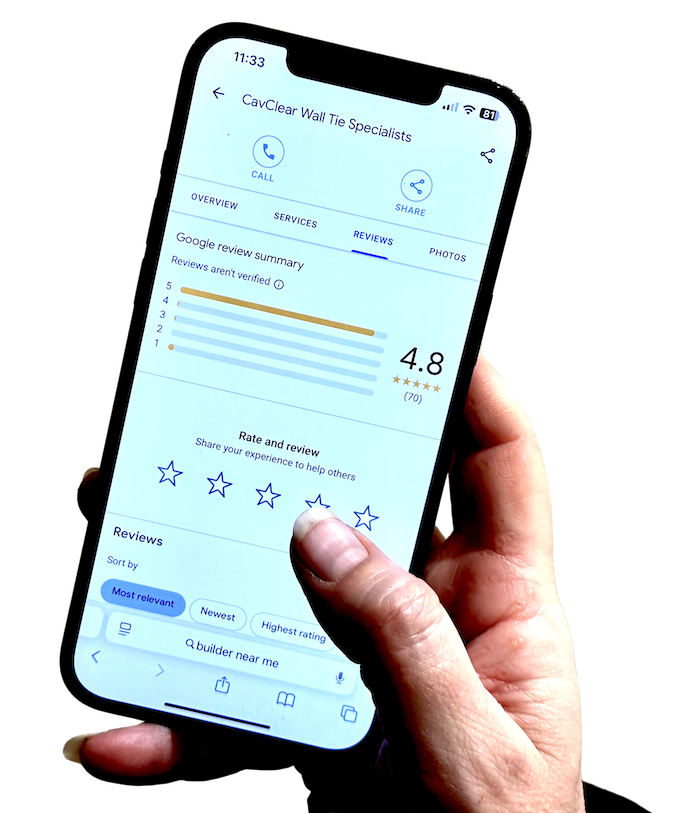
If you want local customers to find your business, one of the first things to do is register your business on Google properly.
For garages, MOT centres, and local trades, that means showing up when people search for the service they need nearby. It also means giving them enough confidence to call, book, or visit once they find you.
That is where your Google Business Profile comes in. It helps you show accurate contact details, opening hours, location information, and reviews in the places customers are already looking.
A lot of owners know they need a profile, but are not fully sure how to set it up properly, what details matter most, or what mistakes can weaken visibility from the start.
The good news is that it is free to create a Google Business Profile. What matters is doing it properly and completing it fully.
This guide explains how to register your business on Google, what to prepare first, what to avoid, and what to do once your profile is live.
Why registering your business on Google matters for local visibility
When people need a garage, MOT station, plumber, electrician, roofer, or another local business, they usually start on Google.
They search for phrases like “MOT near me”, “garage in Evesham”, or “emergency plumber in Worcester”. In those moments, Google decides which businesses appear in search results and on Maps.
If your business is not properly set up on Google, you are much harder to find.
If your profile exists but is incomplete or inaccurate, you can still lose visibility even though your business is technically listed.
That is why this is not just a box-ticking exercise. A strong Google Business Profile helps customers find you, trust what they see, and take action. It also creates the foundation for reviews, local visibility, and stronger trust signals over time.
💡 Key Insight
Being on Google is not just about existing. It is about being visible, accurate, and credible at the moment a local customer is ready to choose who to contact.
What you need before you start the setup
Before you create your profile, gather the basics first.
You need your exact business name, your phone number, your website if you have one, and your address or service-area details. You also need to think about whether you have a location customers visit or whether you serve customers across a wider local area.
A garage or MOT station usually has a physical location. Many trades operate as service-area businesses instead.
You should also prepare your opening hours, choose the most accurate category for your business, and decide which Google account will own the listing.
Use a long-term Google account, not a temporary login that may create problems later.
🗒 Checklist
Before you start, make sure you have:
- Your exact trading name
- Your main phone number
- Your website address, if you have one
- Your business address or service area
- Your opening hours
- The right Google account for long-term ownership
That ownership point matters more than people think. The wrong Google account can make it harder to share access, transfer ownership, or manage the profile properly later on.
Where to go to register your business on Google
To register your business on Google, you need to create or claim a Google Business Profile.
Your Business Profile is what powers your listing across Google Search, Google Maps, and local results. It is what allows customers to view your details, contact you, and decide whether your business looks trustworthy.
If your business has never appeared before, you will usually create a new profile from scratch.
If Google already shows a listing, you may need to claim it instead. In that case, check for an existing profile first so you do not accidentally create a duplicate.
📌 Important
Always check whether a listing already exists before creating a new one. A duplicate profile can create confusion, split reviews, and make the setup harder to sort out later.
Step-by-step: creating your Google Business Profile
If you are starting from scratch, keep the process simple and accurate.
Step 1: Sign in to the right Google account
Start with the Google account you want connected to the business long term. Ideally, this should be an account the business will keep, not a personal login you may stop using or lose access to later.
Step 2: Search for your business name
Check whether Google already has a listing for the business. If it does, claim it. If not, move forward with creating a new one.
Step 3: Enter your business name properly
Use your real trading name as customers know it. Do not add extra keywords, town names, or service phrases unless they are genuinely part of the trading name.
Step 4: Choose the right category
Your category helps Google understand what your business is and which searches it should appear for. This is one of the most important setup choices you will make.
Step 5: Choose the right business type
Google will ask whether you have a physical location customers visit, whether you serve customers at their location, or both. Answer based on how the business actually operates.
Step 6: Add your address or service area
Be accurate and realistic. If customers visit you, use the correct address. If you travel to customers, set the service area carefully rather than stretching it too far.
Step 7: Add your contact details
Use the correct phone number and website so customers can reach you easily. This information should match the details you use elsewhere online as closely as possible.
Step 8: Complete the profile fully
Do not stop once the basic listing exists. Add the rest of the information properly so customers understand what you do and Google has a clearer picture of the business.
🧭 Framework
A simple way to think about setup is this:
- Create or claim — make sure you are working on the correct listing.
- Set the core details — name, category, address or service area, phone, website.
- Complete the profile — hours, services, photos, and business information.
- Verify and review — confirm the profile and check it from a customer’s point of view.
How to verify your business (and what to expect)
After setup, Google will usually ask you to verify the business.
Verification may happen through video, phone, email, or postcard depending on the type of business and what Google offers at the time.
This is normal. It is Google’s way of confirming that the business is genuine and that you are allowed to manage the listing.
Follow the process carefully and make sure your details match what you entered during setup. Accuracy here helps avoid delays and makes the profile easier to get live properly.
If verification takes time, that does not necessarily mean something is wrong. It often just means the process needs checking and completing carefully.
Choosing the right category and business details
Your category is one of the most important choices in the whole process.
It helps Google understand what your business offers and which searches your profile should appear in. Choosing the right category improves relevance, which is a key part of local visibility.
This is also where it helps to think about how customers actually search for you.
A garage should be categorised in a way that reflects its real core service. The same applies to an electrician, plumber, builder, or roofer. Pick the category that best matches what the customer is actually trying to find.
Keep your business description clear and useful. Focus on what you do, where you serve, and what would matter to a local customer deciding whether to get in touch.
❌ Common Mistake
Choosing a category based on what sounds broad or impressive rather than what customers genuinely search for can weaken relevance from the start.
Adding your services, opening hours, and contact details properly
Once your profile exists, complete it properly.
Add your services so customers understand what you do. Make sure your opening hours are accurate. Add your phone number, website, and location details clearly.
Then add photos that reflect the real business. For a garage, that might include the workshop, reception, signage, team, or waiting area. For a trade business, it may include vans, completed work, or branded assets that help customers recognise you.
A strong profile is far more useful than a blank one. Complete profiles give customers more confidence and make it easier for Google to understand the business properly.
If you can keep details updated over time, that helps too. But the first priority is getting the core setup right.
Common mistakes to avoid during setup
The most common mistake is stopping too early.
A business creates a profile, adds the minimum, and leaves it there. That means the listing exists, but it is not doing as much as it could.
Other common mistakes include choosing the wrong category, using a keyword-stuffed business name, adding inconsistent contact details, or setting opening hours that are not accurate.
Another common issue is setting up the profile under the wrong Google account, which can create headaches later when access needs to be shared or transferred.
Being on Google is not the same as being properly set up on Google.
What to do after your business is live on Google
Once your profile is live, review it from a customer’s point of view.
Check that the name, category, hours, phone number, website, and location details all make sense. Make sure the profile reflects the business properly rather than just existing in a half-finished state.
Then keep it accurate. If your hours change, update them. If you add a service, reflect it. If your profile still looks thin, add better photos and fuller service information.
This is also the point where many businesses quietly stop. But a profile tends to perform better when it looks current, cared for, and complete.
How your Google listing connects to reviews and visibility
Your listing and your reviews work together.
Your Google Business Profile gives customers a place to learn about your business, leave feedback, and decide whether to contact you. A complete profile helps customers feel confident they have found the right business.
Reviews then strengthen that trust further. They add proof, recency, and reassurance.
That is why setup matters. If the profile is weak, incomplete, or inaccurate, you are starting from a weaker position before reviews even enter the picture.
This article is about getting the visibility foundation right first. Review growth comes after that, not instead of it.
A practical next step if you want to get it right first time
If you have not done it yet, the best next step is to register your business on Google carefully rather than quickly.
Use the right Google account, choose the right category, make sure your details are accurate, and complete the profile properly rather than leaving it half-finished.
If your listing already exists, review it and improve it so it reflects the business properly.
And if you would rather get help setting it up properly from the start, a guided conversation can make that much easier.
Want Help Getting Your Google Presence Set Up Properly?
If you want support with the setup side and how it connects to reviews, visibility, and managed follow-through, book a short call with Trusted Reviews 4U. We’ll look at where things stand and talk through the best next step for your business. Book a demo →